Where to Recycle an Old Phone in Ottawa (and How to Wipe It First)
An old phone holds your accounts, photos and payment cards. Here's how to wipe it the right way, where to recycle it in Ottawa, and when it's worth more fixed than recycled.

Quick answer
Before recycling a phone, back it up, sign out of your accounts and erase it: on an iPhone, sign out of your Apple Account and use Erase All Content and Settings; on Android, remove your Google account and do a factory reset. Take out the SIM and any memory card. Then drop it at an authorized electronics drop-off point, such as those listed by Recycle My Electronics Ontario, which accepts cell phones. Batteries are hazardous waste and never go in household garbage.
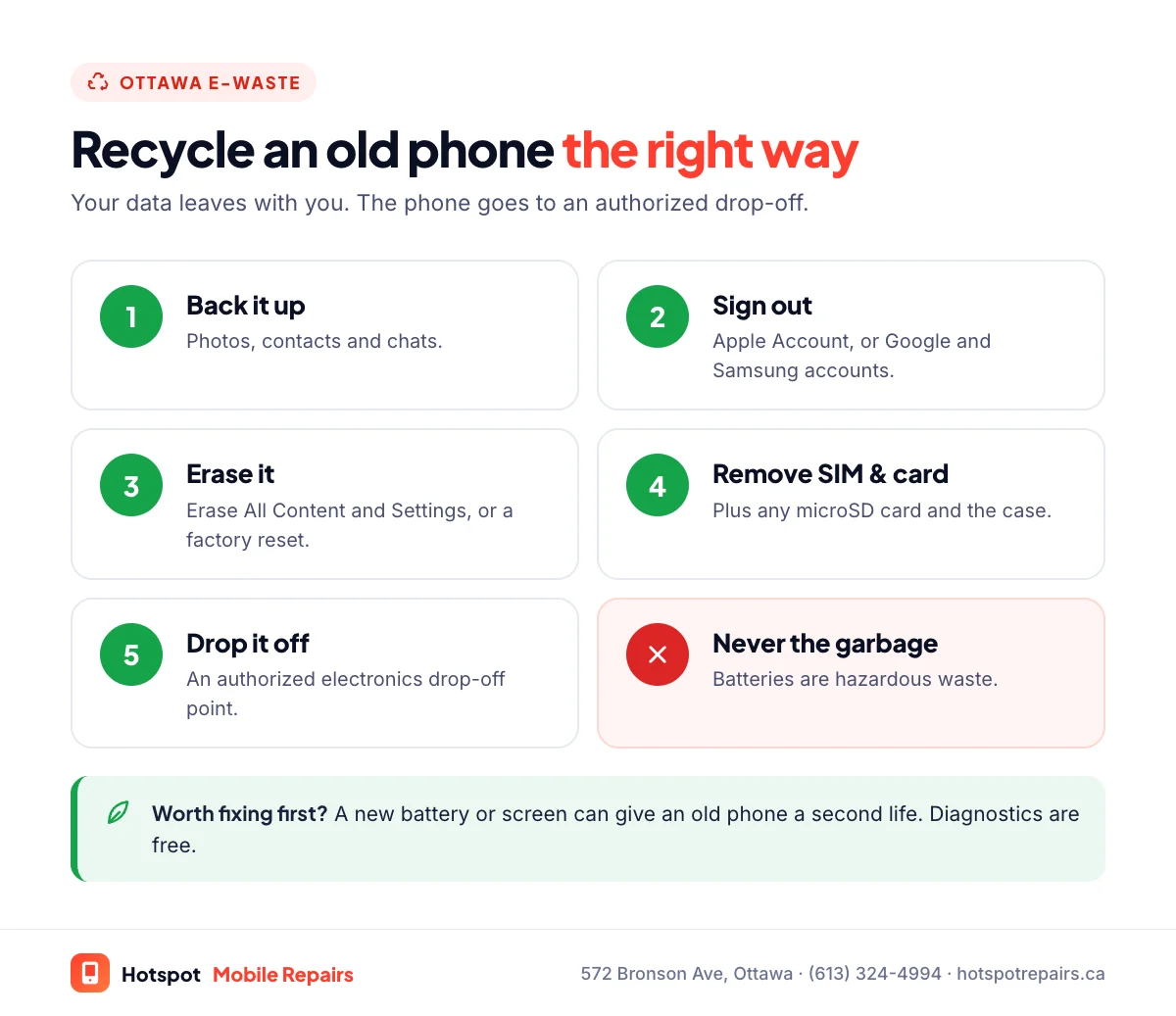
- Back up, sign out of your Apple or Google account, then erase the phone.
- Remove the SIM card, any memory card and your phone case.
- Recycle My Electronics Ontario lists authorized drop-off points that accept cell phones.
- Loose or swollen batteries go to a battery drop-off or hazardous waste depot, never the garbage.
Most of us have an old phone or two in a drawer. They're worth getting rid of properly: phones contain valuable materials that can be recovered, batteries that shouldn't end up in landfill, and a lot of personal data. Here's how to do it safely in Ottawa.
Step 1: Back it up
Make sure anything you want to keep, especially photos, is saved somewhere else. Our 5-minute backup checklist covers iPhone and Android.
Step 2: Sign out and erase it
iPhone
- Unpair any Apple Watch.
- Go to Settings › [your name], scroll down and tap Sign Out.
- Go to Settings › General › Transfer or Reset iPhone › Erase All Content and Settings.
Apple's guide to what to do before you sell, give away or trade in your iPhone also covers removing Apple Pay cards and, if you're moving to Android, deregistering iMessage. Signing out matters: it turns off Activation Lock, so the next owner or recycler isn't locked out.
Android
- Remove your Google account (and your Samsung account on a Galaxy) under Settings › Accounts.
- Do a factory reset from Settings; search "reset" to find it.
Removing the account before the reset stops the phone asking the next person for your password.
Step 3: Take out the SIM and memory card
Remove your SIM card, any microSD card and the case. Keep the SIM if you still use that number.
Step 4: Drop it off
- Electronics drop-off points: Recycle My Electronics Ontario accepts "Telephones, Cellular & Smart Phone Devices" and lists authorized drop-off locations across the province, including Ottawa.
- Batteries: Recycle Your Batteries, Canada!, run by Call2Recycle, lists battery drop-off points at many stores.
- City of Ottawa: the City's Waste Explorer explains how to dispose of electronics and batteries, including household hazardous waste depot dates.
Whatever you do, don't put phones or batteries in the garbage or the blue bin. Health Canada says "batteries are considered hazardous waste. Do not place them in household garbage."
Swollen battery? Handle it differently
If the phone's screen or back is bulging, the battery is swollen. Don't charge it or squeeze it into a bag, and keep it away from anything flammable until you drop it off. Our swollen battery guide explains what to do.
Before you recycle: is it worth more fixed?
A phone that only needs a new battery or screen can often be sold, handed down to a family member or kept as a backup. It's worth a free diagnostic before it goes in the recycling box. Our repair-or-replace guide helps you run the numbers, and if you plan to sell an iPhone, check which parts show as genuine in our Parts and Service History guide.
Frequently asked questions
Where can I recycle an old phone in Ottawa?
At an authorized electronics drop-off point. Recycle My Electronics Ontario lists them and accepts cell phones and smartphones. The City of Ottawa's Waste Explorer also explains how to dispose of electronics and batteries.
How do I wipe my iPhone before recycling it?
Back it up, unpair any Apple Watch, then go to Settings › [your name] and sign out. Next, go to Settings › General › Transfer or Reset iPhone › Erase All Content and Settings. Apple's guide to selling or giving away an iPhone lists every step.
How do I wipe an Android phone safely?
Back it up, remove your Google account (and Samsung account on a Galaxy) from Settings, then do a factory reset from Settings; search “reset” to find it. Removing the account first stops the next person being locked out.
Can I put an old phone or battery in the garbage?
No. Electronics should go to an authorized drop-off, and Health Canada says batteries are hazardous waste that should never go in household garbage.
Is my old phone worth repairing instead?
Sometimes. A new battery or screen can make a phone worth selling, gifting or using as a backup. Bring it in for a free diagnostic before you decide.
Sources & further reading
- What to do before you sell, give away, or trade in your iPhone or iPad — Apple Support (Canada)
- What We Recycle — Recycle My Electronics Ontario
- Authorized Drop-off Locations — Recycle My Electronics Ontario
- Recycle Your Batteries, Canada! — Call2Recycle Canada
- Battery safety: Lithium-ion batteries — Health Canada
Prices and details were checked on September 27, 2026. They can change; call us for today's price.